AI PPT Maker user avatar 1AI PPT Maker user avatar 2AI PPT Maker user avatar 3AI PPT Maker user avatar 4+2M
4.9 / 5
Loved by 2,400,000+ users worldwide

Manus vs AI PPT Maker

From your first prompt to your next revision, find an AI agent that fits how you make presentations.

Two Ways to Build Your Next Presentation

Manus presentation workflow

Manus

Manus can turn a presentation brief into slides and handle follow-up requests through conversation. In our test, it created a sales review, revised the summary, redesigned a product slide, and added a new page before exporting to PowerPoint.

Consider Manus if you want to explore its agent-led slide workflow and review the output available with your selected model.

AI PPT Maker presentation workflow

AI PPT Maker

AI PPT Maker centers the workflow on presentations. Use Agent Slides for conversational creation, Creative Slides for image-generated output, or Classic Slides for template-based decks. Review the outline before generating, then download the formats supported by your mode.

Consider AI PPT Maker if you want dedicated presentation workflows, with Agent or Classic for editable PPTX output.

Quick takeaway

For users who need to revise a business deck through conversation and continue working with its charts after download, AI PPT Maker is a practical Manus alternative. In our matched test, both tools completed the requested revisions, while AI PPT Maker’s Agent Slides PPTX retained native charts and their data workbooks.

Manus vs AI PPT Maker: Features at a Glance

Compare the workflow you will use, the controls you need, and the presentation you will take away.

Manus vs AI PPT Maker: Features at a Glance
FeatureManusAI PPT Maker
Focus and use casesAgent-led presentation creation; our test used a management sales review.
Dedicated presentation creation through Agent, Creative, and Classic.
Input and importOur test supplied the source material and instructions as a text attachment. Other input options depend on the workflow.
Combine text, uploaded files, supported links, and additional instructions across all three modes.
AI generation and Agent capabilitiesCreated a deck and handled follow-up requests through conversation in our test.
Agent supports conversational creation and follow-up changes; Creative and Classic offer additional creation workflows.
Content quality and structureMain requested calculations were correct. We found an additional calculation error and an unsupported seasonal explanation.
Main calculations and chart data matched the source in the inspected output; evidence limitations were stated more explicitly.
Outline preview and editingA slide plan was described during generation; a separate editable outline interface was not demonstrated in this test.
Review and edit the outline before generating slides in all three modes.
Templates, themes, and designOur sample used restrained layouts with dark cover and decision slides.
Classic offers 1,000+ templates; Agent and Creative provide different design workflows.
AI image generationNot evaluated in this test.
Agent supports image generation; Creative offers image-model and style selection. Not evaluated in this test.
Editing and customizationCompleted summary, layout, and slide-insertion requests. Exported text and shapes were editable objects.
Completed the same requests. Exported text, shapes, and native charts were retained in the tested Agent deck.
Sharing and collaborationTeam editing and sharing permissions were not evaluated.
Agent conversation-link sharing is supported; it should not be confused with simultaneous slide co-editing.
Export and PowerPoint compatibilityThe tested PPTX contained editable text and shapes, but no native chart objects.
The tested Agent PPTX contained native charts and data workbooks. Available download formats vary by mode.
Ease of useCompleted the task through conversation, followed by PPTX conversion and download.
Completed the task through Agent conversation and PPTX download. Both outputs still needed a visual review.
Pricing and free accessCheck current account allowances and model eligibility. Per-task cost was not established in this test.
Free credits apply to Classic. Agent and Creative require Basic or Pro; credit charges depend on the mode.

What Matters After the First Prompt

Agent Workflows: Keep the Conversation Going

A useful presentation agent should help you move beyond the first draft.

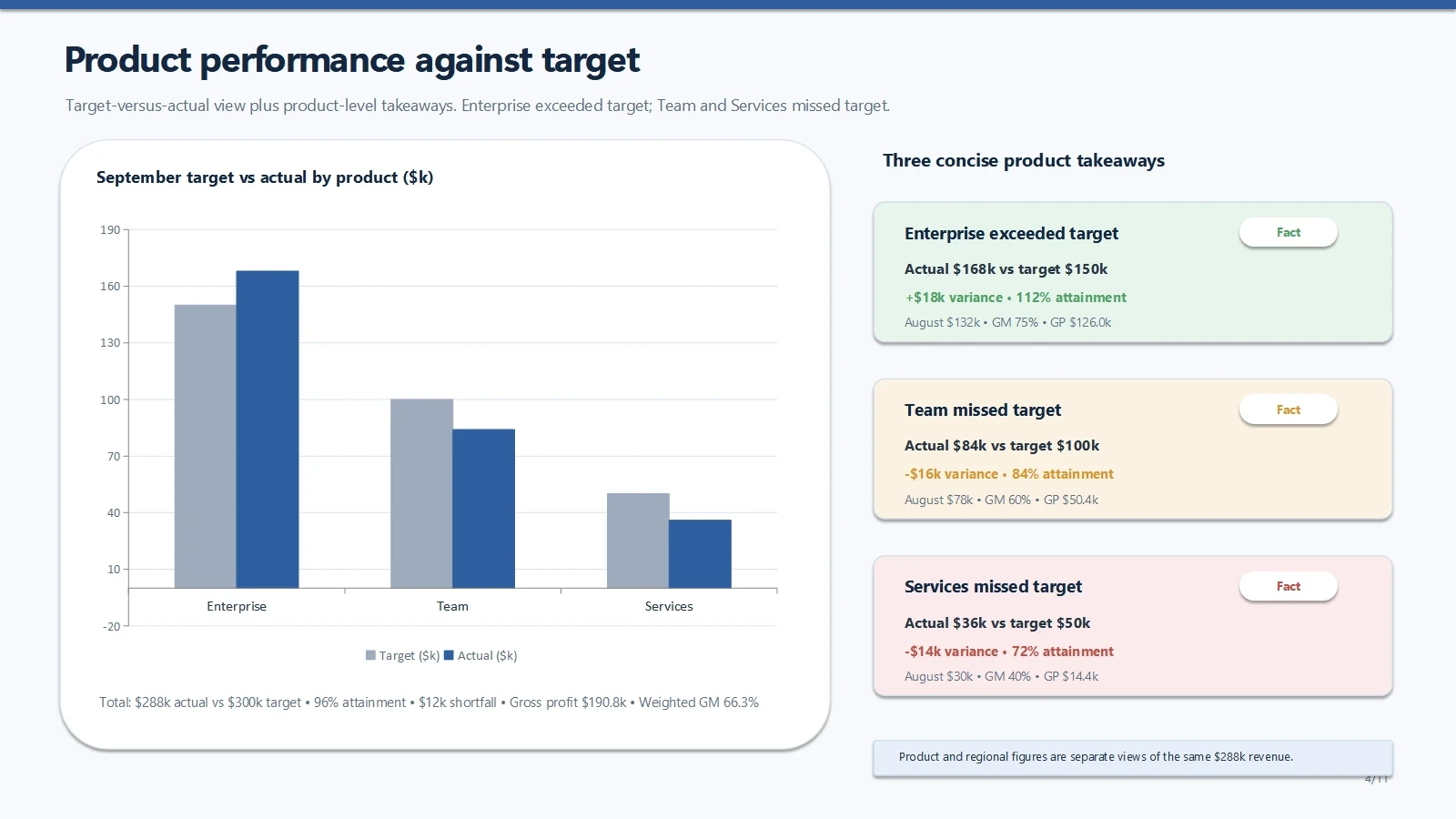
Both Manus and AI PPT Maker accepted follow-up instructions in our test. We asked each to clarify the executive summary, change a product slide’s layout, and insert a validation page. Both delivered updated files after the requests.

AI PPT Maker also gives you dedicated presentation choices: Agent for conversational creation, Creative for PNG slide visuals, and Classic for template-based decks.

Agent Workflows: Keep the Conversation Going — AI PPT Maker conversation

Your Next Presentation Starts With Your Material — product slide

Content Accuracy: Preserve the Meaning of Your Report

The brief included more than revenue figures. It distinguished recognized revenue from pipeline, proposed spending from approved budgets, and observations from unverified causes.

Both tools calculated the main metrics correctly and preserved these important boundaries. AI PPT Maker’s sample stated the limitations more fully.

Manus added a claim that Enterprise offset 71% of the other products’ shortfall. The supplied figures give 60%. That statement was corrected in a later revision. Its trend slide also described August as a “seasonal low,” although the source did not establish seasonality.

For a management presentation, review both the numbers and the explanations attached to them.

Executive Summary — AI PPT Maker

Content Accuracy: Preserve the Meaning of Your Report — action plan

Conversational Editing: Change Content, Layout, and Structure

We tested three different kinds of revision:

  • Content: Explain that Enterprise exceeded target while Team and Services missed.
  • Layout: Place the product chart on the left and three takeaways on the right.
  • Structure: Insert a validation page immediately before the final decision.

Both tools completed all three. Their final decks contained 11 slides, with the new page before the decision slide.

AI PPT Maker kept the requested title, “What We Still Need to Validate.” Manus used “Validation Agenda” while covering the four requested topics.

Validation Before the Decision — AI PPT Maker

Conversational Editing: Change Content, Layout, and Structure — final decision

PowerPoint Editing: Look Beyond the File Extension

Both tools delivered PPTX files. The objects inside those files were different.

AI PPT Maker’s Agent Slides tested deck retained five visible native charts with associated data workbooks. The Manus Lite export retained editable text and shapes, but its charts were represented through images or shapes rather than native chart objects.

That difference matters when your next change is to the numbers behind a chart.

Your Next Presentation Starts With Your Material — product slide

5 native chartsWith associated data workbooks

From Source Material to a Downloadable Deck

Manus presentation workflow

Manus: Brief, Revise, and Export

  1. Add your brief

    Supply the material and explain the audience, structure, and desired output.

  2. Generate the presentation

    Review the slide plan and generated presentation. In this session, Manus created HTML slides.

  3. Request changes

    Describe the content, layout, or structural changes you need, then review the updated result.

  4. Download and check

    Convert and download the PPTX available in the tested workflow. Inspect the exported objects and appearance.

AI PPT Maker presentation workflow

AI PPT Maker: Create, Refine, and Download

  1. Add your brief

    Add your sources and instructions, then choose Agent Slides for conversational creation.

  2. Generate the presentation

    Generate the presentation through Agent. AI PPT Maker also supports outline review before slide generation.

  3. Request changes

    Continue the conversation with specific changes, then review the revised deck.

  4. Download and check

    Download the Agent PPTX. Check the slides and continue editing the supported objects.

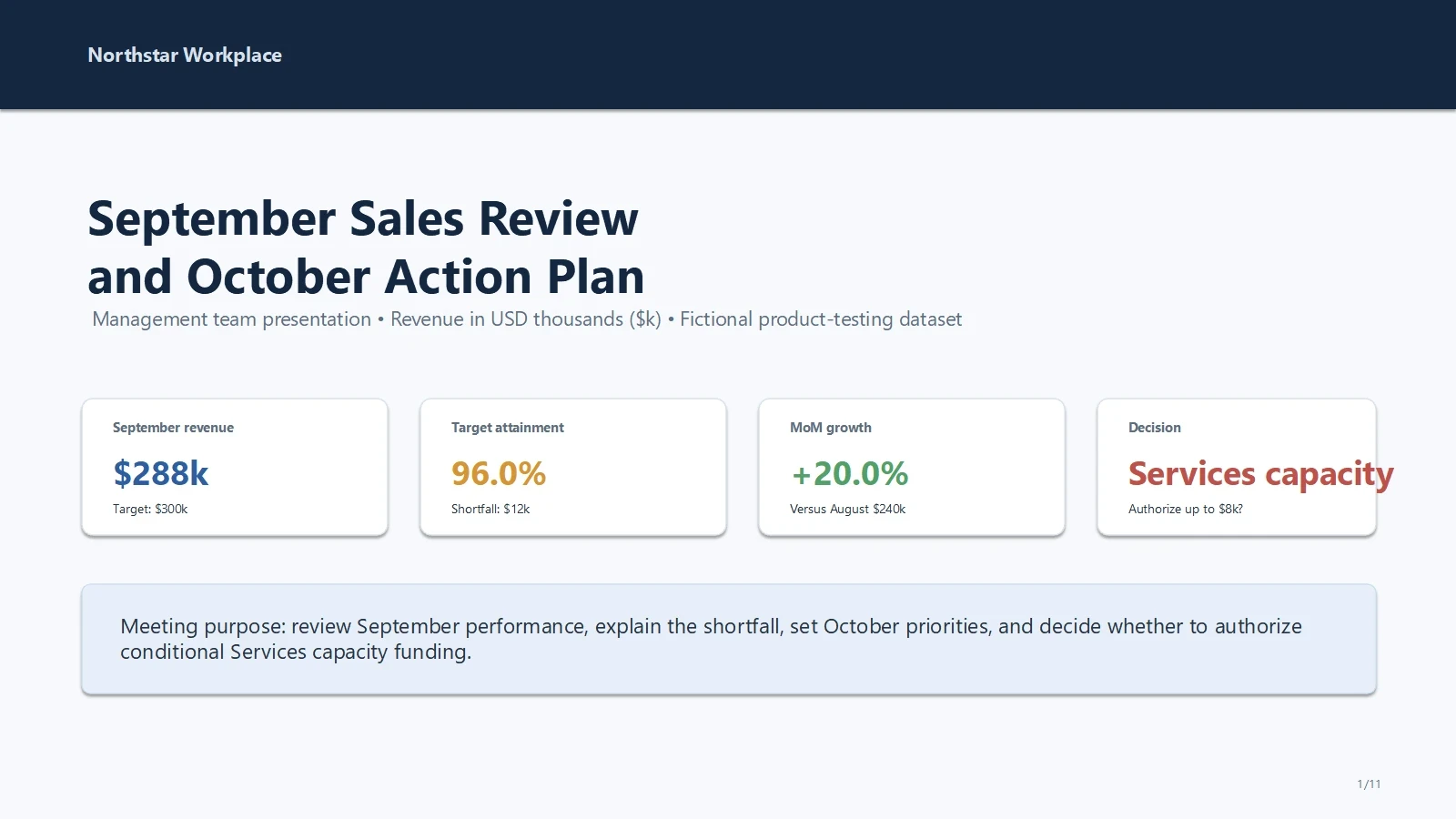
The Same Sales Report. Two Presentation Results.

Explore how Manus and AI PPT Maker bring your ideas to life through content, design, and layout. See the differences side by side and find the approach that fits your next presentation.

Manus

Executive Summary — Manus

AI PPT Maker

Executive Summary — AI PPT Maker

Compare Access, Credits, and Downloads

The subscription price is only part of the decision. Check whether the workflow you want is included, how usage is charged, and what you can download.

Compare Access, Credits, and Downloads
FeatureManusAI PPT Maker
Focus and use casesAgent-led presentation creation; our test used a management sales review.
Dedicated presentation creation through Agent, Creative, and Classic.
Input and importOur test supplied the source material and instructions as a text attachment. Other input options depend on the workflow.
Combine text, uploaded files, supported links, and additional instructions across all three modes.
AI generation and Agent capabilitiesCreated a deck and handled follow-up requests through conversation in our test.
Agent supports conversational creation and follow-up changes; Creative and Classic offer additional creation workflows.
Content quality and structureMain requested calculations were correct. We found an additional calculation error and an unsupported seasonal explanation.
Main calculations and chart data matched the source in the inspected output; evidence limitations were stated more explicitly.
Outline preview and editingA slide plan was described during generation; a separate editable outline interface was not demonstrated in this test.
Review and edit the outline before generating slides in all three modes.
Templates, themes, and designOur sample used restrained layouts with dark cover and decision slides.
Classic offers 1,000+ templates; Agent and Creative provide different design workflows.
AI image generationNot evaluated in this test.
Agent supports image generation; Creative offers image-model and style selection. Not evaluated in this test.
Editing and customizationCompleted summary, layout, and slide-insertion requests. Exported text and shapes were editable objects.
Completed the same requests. Exported text, shapes, and native charts were retained in the tested Agent deck.
Sharing and collaborationTeam editing and sharing permissions were not evaluated.
Agent conversation-link sharing is supported; it should not be confused with simultaneous slide co-editing.
Export and PowerPoint compatibilityThe tested PPTX contained editable text and shapes, but no native chart objects.
The tested Agent PPTX contained native charts and data workbooks. Available download formats vary by mode.
Ease of useCompleted the task through conversation, followed by PPTX conversion and download.
Completed the task through Agent conversation and PPTX download. Both outputs still needed a visual review.
Pricing and free accessCheck current account allowances and model eligibility. Per-task cost was not established in this test.
Free credits apply to Classic. Agent and Creative require Basic or Pro; credit charges depend on the mode.

Choose the Workflow That Fits Your Presentation

Consider Manus When…

  • You already use Manus and want to create and revise a presentation through its agent workflow.
  • Your selected workflow produces the output you need.
  • You are prepared to inspect the downloaded deck and its editable objects.

Choose AI PPT Maker When…

  • You want a product centered on presentation creation, with Agent, Creative, and Classic options.
  • You need to refine a deck through conversation and continue working in a downloaded PPTX.
  • Native chart objects matter to your reporting workflow; our tested Agent deck retained them.

Ask AI to Compare

Want another perspective? Bring your presentation needs to ChatGPT or Gemini and ask for a comparison based on current sources.

FAQs About Manus and AI PPT Maker

Is AI PPT Maker a Manus alternative for presentations?

Yes. AI PPT Maker can create presentations through Agent, Creative, or Classic. In our matched test, AI PPT Maker’s Agent Slides completed the same generation and revision tasks as Manus and delivered a PPTX with native charts and associated data workbooks.

Can both tools revise presentations through conversation?

Yes, in the tested workflows. Both revised an executive summary, changed a product slide’s layout, and inserted a page before the final decision. Review each result to confirm that the requested content and figures remain correct.

Can both tools export PowerPoint files?

Both delivered PPTX files in our test. The editable objects differed: AI PPT Maker retained native charts, while the tested Manus Lite conversion used images or shapes for chart content. Output can vary by model and creation workflow.

Were all the figures correct?

Both tools presented the main requested calculations correctly. Manus added an incorrect 71% offset figure in its initial product slide, which was corrected in a later revision. Both outputs should be checked against the source before use.

Does this test cover every Manus presentation mode?

No. The test used Manus 2.0 Lite, which stated that native PPTX creation was unavailable in that session and used HTML slides followed by conversion. The findings describe that workflow and its exported files.

Can I try AI PPT Maker for free?

Yes. Free credits apply to Classic Slides, with watermarks on free exports. Agent and Creative require Basic or Pro. Choose a mode based on your intended workflow and download format.

Which AI PPT Maker modes support PPTX?

Agent supports PPTX. Classic supports PPTX and additional outputs, including PDF, Keynote, outlines, and images. Creative provides PNG slide images.

Do downloaded files still need checking?

Yes. Check content, layout, fonts, and editable objects before presenting. Our WPS inspection found display issues in both products’ outputs; Microsoft PowerPoint behavior was not fully tested.

Experience a More Flexible Way to Create with Agent Slides

Bring a report, a brief, or a page of notes. Create with AI PPT Maker, refine your message, and choose the output that fits your next step.

Your Next Presentation Starts With Your Material — coverYour Next Presentation Starts With Your Material — product slide