Genspark or AI PPT Maker. Start with the Work You Need to Finish.
Genspark
Genspark AI Slides brings conversational creation and visual layout tools into a browser workspace. Give it a brief, review the slides, and ask for changes. Our sales-review example paired cream backgrounds with deep green panels and bold headline numbers.
Genspark is worth considering if you like that workspace and want to shape the presentation there, with layout checks alongside the conversation.
AI PPT Maker
Bring the report, notes, or business brief you already have. With Agent Slides, turn that content into a complete presentation, then ask for the changes your next meeting needs: correct the figures, sharpen a headline, or keep an action plan intact.
AI PPT Maker also gives you Creative Slides for image-generated visuals and Classic Slides for a template-based approach. Choose the way you want to create, within a dedicated presentation product.
✓
Built around your content. Ready for your next change.
Looking for a Genspark alternative for business presentations? Make the next revision part of your decision. AI PPT Maker takes your source material through a complete deck, conversational changes, and an updated PowerPoint file.
Genspark vs AI PPT Maker at a Glance
From source material to follow-up changes, compare what matters for your next presentation. The results below reflect our matched sales-report task.
Genspark vs AI PPT Maker at a Glance
Feature
Genspark AI Slides
AI PPT Maker
Start with your own content
Accepted the source report and brief.
✓Accepted the same report and brief in Agent Slides.
Generate a complete deck
Created eight slides in 16:9.
✓Created eight slides in 16:9.
Revise through conversation
Updated the visible figures and requested headline.
✓Updated text, tables, chart values, and the chart workbook.
Shape the visual story
Cream and green styling with prominent numbers.
✓A business-report layout with clear metrics and tables.
Review the layout
Layout checking and repair appeared in the session.
✓Slide previews; equivalent repair tools were not evaluated.
Choose your creation approach
Professional and Standard used in this test.
✓Agent Slides, Creative Slides, and Classic Slides.
Continue in PowerPoint
PPTX export listed; paid access required in our account.
✓Original and revised Agent Slides PPTX downloaded.
Work with chart data
Exported objects were not inspected.
✓One native chart with a workbook and two native tables verified.
An AI Presentation Agent for the Work After “Generate”
Give Your Report a Story Worth Presenting
Your audience needs the takeaway, the evidence, and the next step. Give Agent Slides your source material and the structure you want to communicate. Build a sales review that connects the headline results to product performance and a clear action plan.
In our Genspark comparison, both agents made the requested eight-slide deck. AI PPT Maker preserved all four October actions, including owners and deadlines, and kept potential opportunities distinct from booked revenue. Your report becomes a presentation with a business purpose.
Change the Numbers. Keep the Story Consistent.
A revenue correction belongs in more than one text box. Ask Agent Slides to update the figures that depend on it, from the summary to the chart and product table.
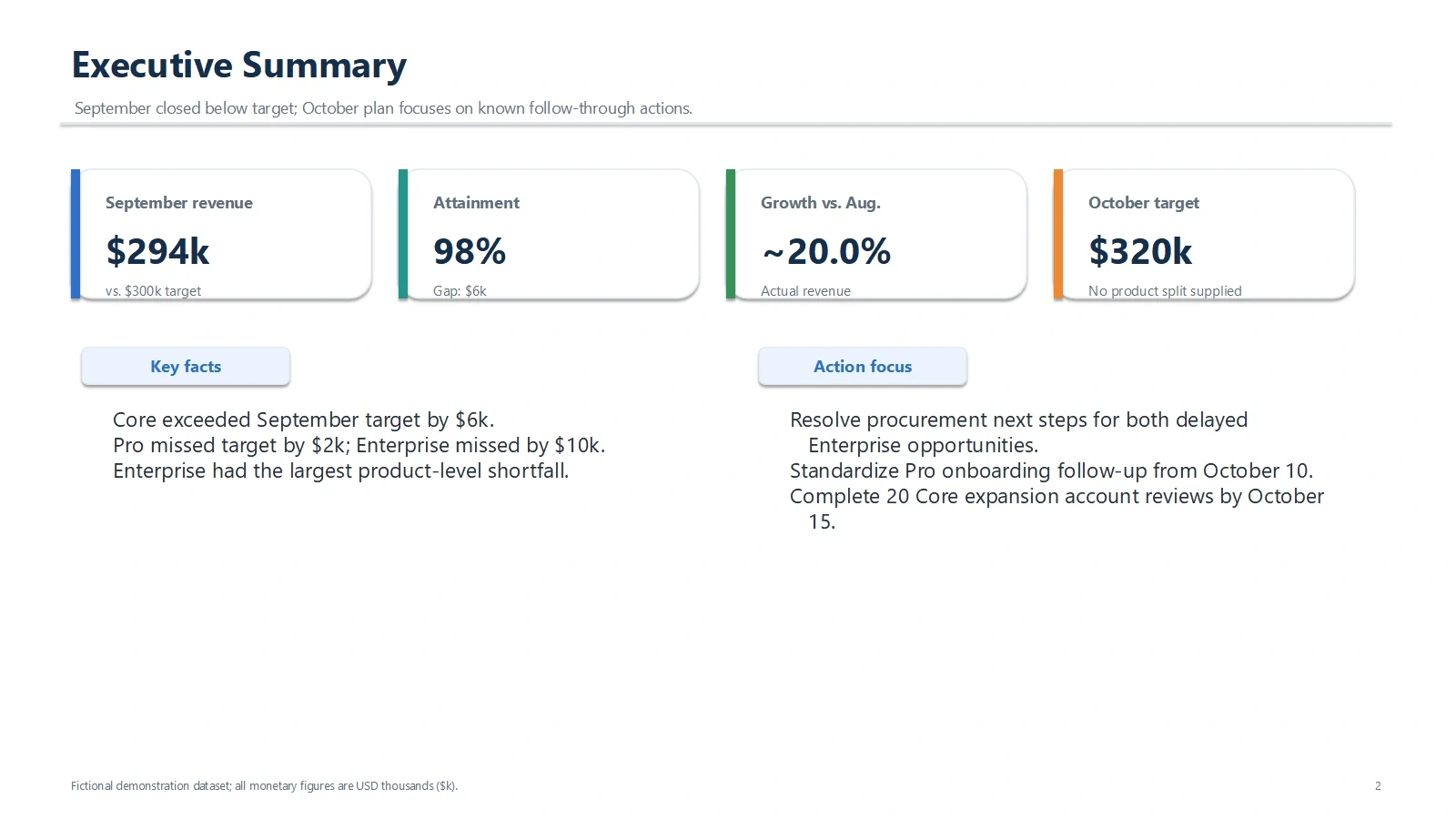
When Pro revenue changed from $92k to $98k, AI PPT Maker updated total revenue to $294k, attainment to 98%, and growth to 20%. Its chart workbook changed too. Genspark showed the same corrected headline metrics in its preview. This is a concrete task to try when comparing AI Slides tools: one correction, carried through the presentation.
SAME SOURCE. ONE CORRECTION.
↗
Follow-up instructionPro revenue was $98k, not $92k.
Update every affected figure. Keep the October plan.
Revenue$288k$294k
Attainment96%98%
Growth17.6%20%
✓Revised figures shown by both agents
Refine the Slide. Keep the Plan.
Tell the agent what to change and what to preserve. Sharpen the message on a product slide while keeping the October target, action owners, and deadlines in place. You can direct the next revision in the same conversation.
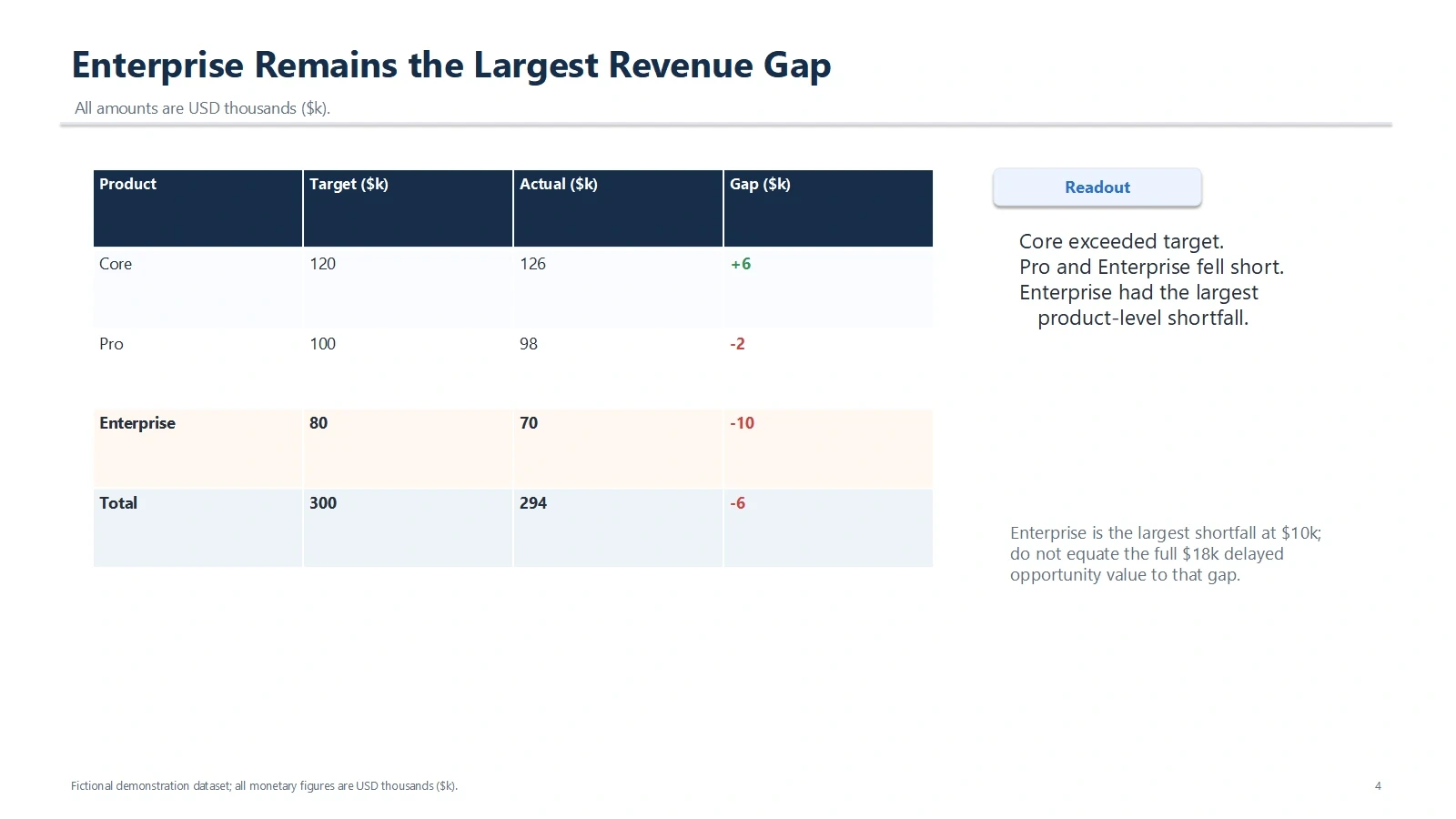
We asked Genspark and AI PPT Maker to emphasize “Enterprise Remains the Largest Revenue Gap.” Both displayed that headline. AI PPT Maker’s revised file also kept the eight-slide structure, the $320k October target, and the action plan intact.
8 slides$320k October targetPlan retained
Keep Your Presentation Working for You
The meeting may change. Your presentation should be something you can return to. Agent Slides provides a PPTX so you can continue working with the deck in PowerPoint.
Our AI PPT Maker sample contained a native chart with its data workbook and two native tables. Genspark also lists PPTX export, but we did not obtain its exported file, so its object editability remains unverified here. Compare the actual output you need alongside the creation experience.
✓Native chart + data workbook
PPTXReady for your next editNative chart and tables in this sample
From a Working Report to a Presentation You Can Refine
The Genspark Workflow
Bring your material
Give Genspark the source and specify your audience, slide count, and priorities.
Review the presentation
Look through the generated slides and the layout checks shown in the workspace.
Ask for changes
Send a correction or a new headline, then review the revised pages.
Choose your delivery
Present in the workspace or check your plan’s access to the export you need.
The AI PPT Maker Workflow
Start with your report
Choose Agent Slides and add the content you want to turn into a presentation.
Build the full deck
Review the story, figures, and proposed next steps against your brief.
Refine through chat
Describe the change and any content the agent should keep in place.
Make it meeting-ready
Download the revised PPTX, review it, and make your final adjustments.
Genspark vs AI PPT Maker: Same Brief. Real Results.
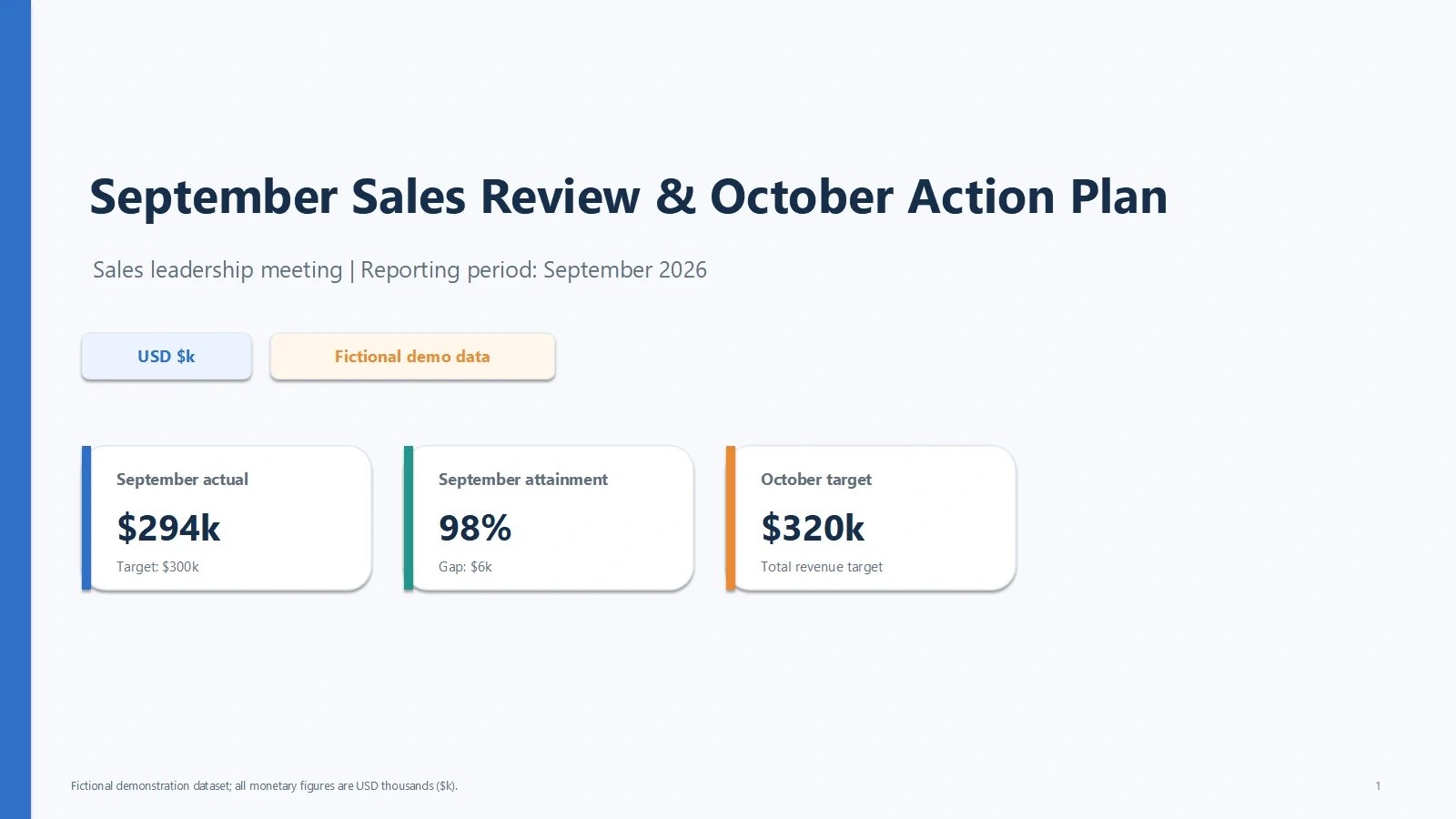
See Genspark and AI PPT Maker handle a fictional September sales review, followed by a revenue correction. The same source, eight-slide brief, and follow-up instruction make the comparison concrete.
You enjoy the Genspark browser workspace and want its visible layout controls.
The bold numbers and color blocks in the Genspark sample suit your audience.
You prefer to build, review, and present within that workspace.
Choose AI PPT Maker If…
You want a dedicated presentation product with Agent Slides, Creative Slides, and Classic Slides.
Your business content needs a complete deck and follow-up revisions through chat.
You want to continue with a PPTX, with native chart data and tables demonstrated in this sample.
For report-driven presentations, AI PPT Maker gives you a focused path from source content to a revised deck. If you are weighing Genspark against that workflow, start with a real report and the change you expect to make next.
Your Brief. Another Perspective.
Ask ChatGPT or Gemini to compare Genspark and AI PPT Maker around the presentation you need to create.
Genspark vs AI PPT Maker: Your Questions, Answered
Is AI PPT Maker a Genspark alternative for AI presentations?
Yes. If you want to turn your own content into slides and refine it through conversation, Agent Slides offers that workflow. AI PPT Maker also includes Creative Slides and Classic Slides. Our Genspark comparison shows the Agent Slides workflow on a business report and follow-up revision.
Can Genspark and AI PPT Maker update slides through chat?
Both did in this test. Genspark updated the visible metrics and requested headline. AI PPT Maker also updated related text, tables, and chart data in the downloaded file. Review affected slides after each change, especially when the presentation includes calculations.
Can I export Genspark AI Slides for free?
The tested Genspark Free account required Plus, Pro, or Team for export. PDF, PPTX, and Google Slides were listed. Check the export options and eligibility shown in your own account.
Is Agent Slides free in AI PPT Maker?
Agent Slides and Creative Slides require Basic or Pro under the product terms used here. Classic Slides is the free starting point. Successful downloads in this comparison do not indicate free Agent Slides access.
How do the Genspark and AI PPT Maker designs compare?
Genspark used strong color blocks and large figures in the sample. AI PPT Maker used a restrained business layout with compact metrics and tables. View the actual slides above and choose the direction that suits your content and audience.
Are the exported charts editable?
AI PPT Maker’s inspected files contained one native chart with an embedded workbook and two native tables. We did not inspect a Genspark PPTX, so this comparison cannot establish whether Genspark charts are editable after export. Object types can vary between generated decks.
Which figures changed after the revenue correction?
Pro revenue increased from $92k to $98k. The revised totals were $294k revenue, 98% attainment, and 20% growth. Genspark displayed these metrics in its preview; AI PPT Maker’s inspected file reflected them in the related text and chart data.
Does this cover every Genspark mode and account?
No. This Genspark comparison covers the Professional and Standard settings used in the recording, alongside AI PPT Maker’s Agent Slides. It does not establish performance for other modes, comparative generation speed, or a per-task cost winner.
Turn the Report You Have into the Presentation You Need
Bring your content. Build the deck. Ask for the next change. Explore AI PPT Maker as a Genspark alternative for presentations that develop with your ideas.





 Genspark